Programming Equipment for Digital Nomads: The Developer’s Travel Setup 2026
Essential Programming Equipment for Digital Nomads
📋 Table of Contents
- The Laptop: What to Check Before You Pick a Model
- The Gear Developers Actually Use
- Equipment by Role
- Protect the Code and the Accounts
- A Connection Plan for When the Wi-Fi Fails
- Travel Logistics for a Laptop Bag Full of Gear
- Build the Setup in Stages
- Services That Complete the Setup
- A Developer Setup That Travels Well
Programming equipment for digital nomads needs to be reliable, portable and practical. Coding from a café in Bali, a coworking space in Lisbon or a hotel room in Bangkok requires more than a good laptop. This guide covers essential programming equipment for digital nomads in 2026: laptop specs, a second screen, input devices, backups, security keys and a connection plan for when the Wi-Fi fails.
How this guide was made: it draws on independent laptop and travel-gear reviews and on standard security practice, not on our own testing of every item. Prices are rough US ranges and change often. For laptop models, see our best laptop for digital nomads guide. As an Amazon Associate I earn from qualifying purchases.
💻 Developer Nomad Setup — Key Facts
🖥️ The Laptop: What to Check Before You Pick a Model
Model lists age quickly, so start with the specs. Choosing the right programming equipment for digital nomads means balancing weight, battery life and enough memory to keep your development tools running smoothly.
| Spec | Minimum | Better | Why it matters |
|---|---|---|---|
| RAM | 16 GB | 32 GB | An IDE, browser tabs, a database and containers use memory quickly |
| Storage | 512 GB SSD | 1 TB SSD | Dependencies, images and project history take space, and cloud storage is no help offline |
| Battery | 8 hours real-world | 10+ hours | A café without a free socket is common |
| Ports | 2× USB-C | USB-C plus HDMI or a hub | You will plug in a monitor, a drive and a charger at once |
| Keyboard | Comfortable key travel | Backlit, firm feel | You will type for hours, so test it if you can |
| Platform | Matches your stack | Matches your clients’ stack | Building for iOS requires a Mac, so choose by what you build |
🧰 The Gear Developers Actually Use
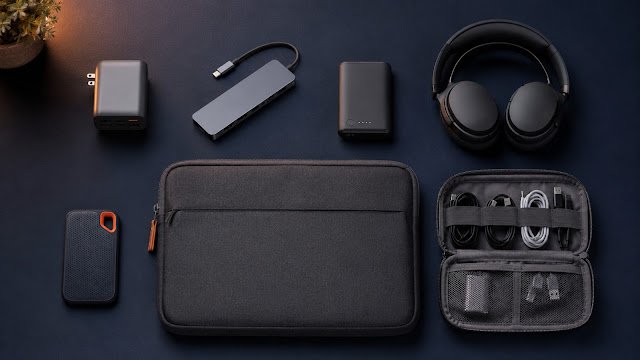
These are categories to compare, with rough US prices. Check recent reviews and the current price on the product page. The right programming equipment for digital nomads should remain lightweight, practical and easy to pack without sacrificing productivity.
Portable monitor
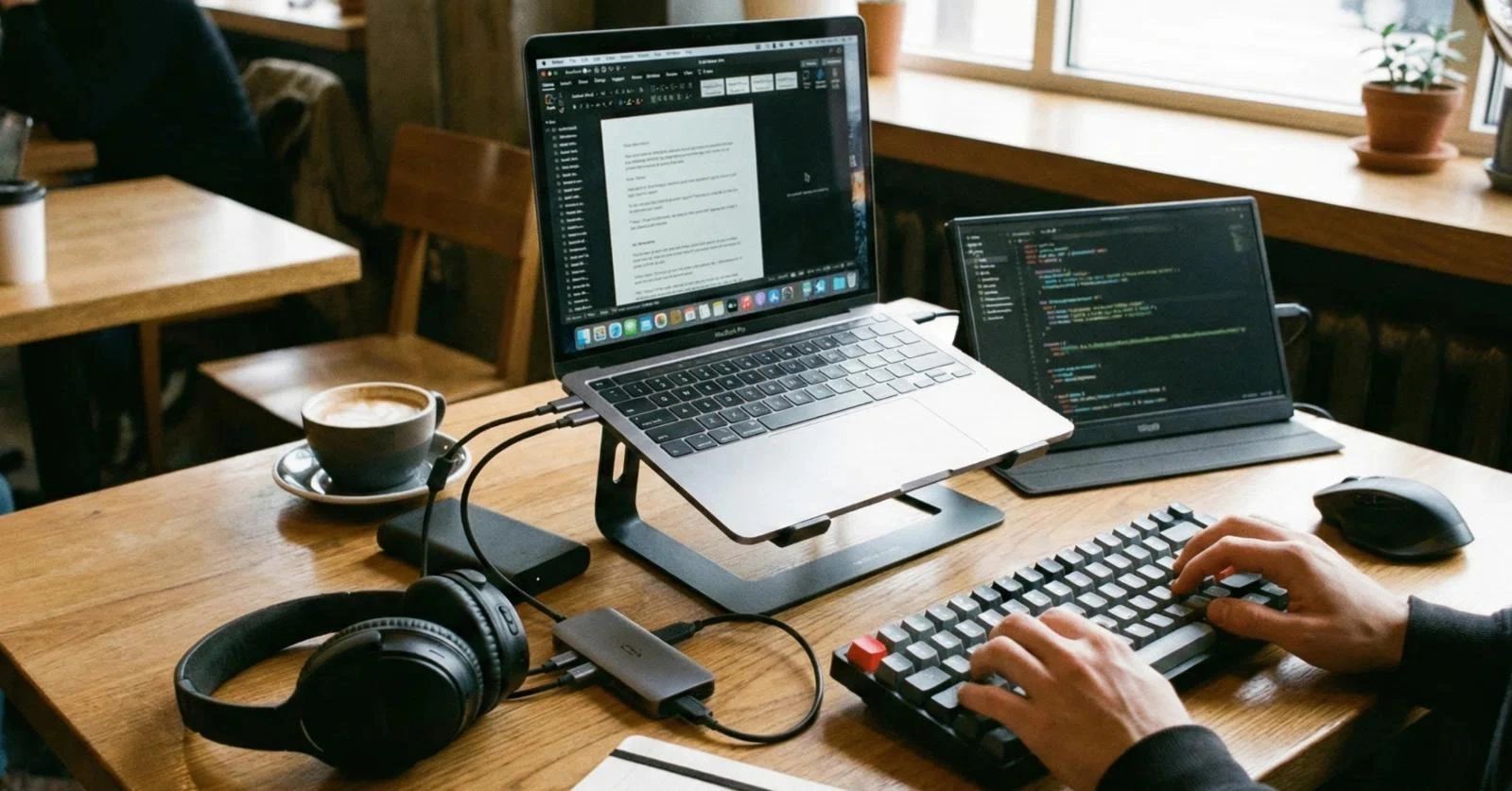
A 14–16″ USB-C monitor gives you an editor on one screen and docs, a terminal or a browser on the other. It adds weight and draws power from your laptop, so it is worth it only if you work in the same place for days at a time. Look for: USB-C single-cable support, a protective cover and a matte or low-glare panel.
Compact keyboard and mouse
A laptop keyboard is fine for a short session, but a compact external keyboard and a small mouse reduce strain over long ones. Low-profile or compact layouts pack lighter than a full mechanical board. Look for: Bluetooth and USB-C charging, a layout you are used to and a small travel case.
USB-C hub
Adds HDMI for a coworking monitor, Ethernet for a stable wired connection, USB-A and an SD reader. Wired Ethernet is a lifesaver when a hotel Wi-Fi drops during a deploy or a call. Look for: power pass-through, Gigabit Ethernet and a replaceable cable.
Portable SSD
A 1 TB drive holds a full system backup and your project archives. Keep it in a different bag or room from the laptop, and encrypt it. Look for: USB-C, encryption support and a rugged build.
Hardware security keys
A physical key such as a YubiKey-style device protects your code host, email and cloud accounts from phishing. Buy two, keep one in a separate place, and register both. Look for: USB-C or NFC support and compatibility with the services you use.
Laptop stand
A foldable stand raises the screen to eye level and works with an external keyboard. It folds flat and weighs little. Look for: a stable aluminum build, non-slip pads and a flat fold.
For chargers, power banks and the airline rules that now limit them, see our power banks guide. For a shorter general list, see the Nomad Tech Kit.
🧑💻 Equipment by Role
The right setup depends on what you build. Use this table as a starting point, then adjust it to your tools and your clients.
| Role | What to prioritize | Why |
|---|---|---|
| Web and backend developer | 16 GB RAM, a hub with Ethernet, a backup SSD | Containers, builds and deploys need memory and a stable connection |
| Mobile developer | The platform your target needs, plus test devices | Building for iOS requires a Mac |
| Data engineer | 32 GB RAM, 1 TB storage, secure access to cloud tools | Large datasets and local processing use memory and disk |
| Technical writer | A comfortable keyboard, a second screen, offline documentation | Long writing sessions and reference material side by side |
| Hardware or robotics work | Check airline and customs rules for batteries and parts first | Lithium batteries and components can be restricted in the cabin or at borders |
🔐 Protect the Code and the Accounts
A stolen or lost laptop is a bigger problem for a developer than for most people, because it can hold client code, keys and tokens.
- Encrypt the disk. Turn on FileVault on a Mac or BitLocker or device encryption on Windows, and set a strong login password.
- Use two-factor authentication everywhere, with hardware keys for your code host, cloud console and email.
- Use a password manager instead of reusing passwords or saving them in a browser on a shared machine.
- Keep secrets out of the repository. Use environment variables or a secrets manager, and rotate any key that was exposed.
- Back up with the 3-2-1 rule: three copies, on two types of media, with one stored off-site, such as an encrypted cloud copy.
- Treat public Wi-Fi as untrusted. Use your own mobile hotspot, or a VPN, and check your client’s rules before you connect to their systems.
📡 A Connection Plan for When the Wi-Fi Fails
Developers lose the most when a call drops or a deploy hangs. Do not rely on one connection.
- Primary: test the Wi-Fi speed before you commit to a stay or a coworking day pass, and ask for Ethernet if it is available.
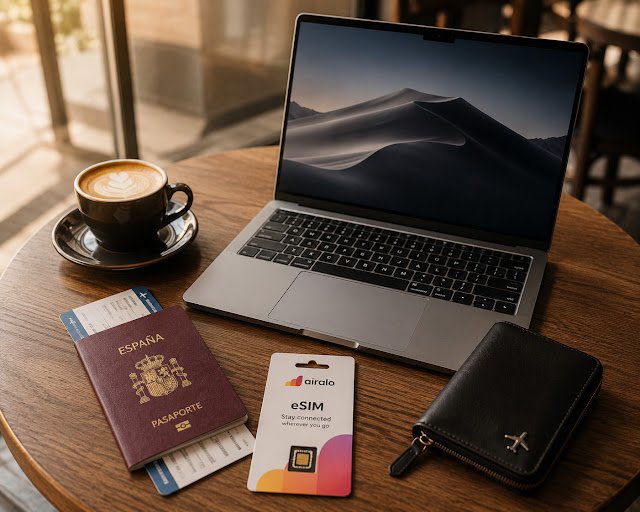
- Backup: an eSIM or a local SIM with hotspot allowed. Check the plan’s tethering rules and its daily full-speed limit. See our eSIM comparison and the Airalo vs Holafly vs Nomad guide.
- Offline: keep documentation, dependencies and a local build available for the times you have no connection.
✈️ Travel Logistics for a Laptop Bag Full of Gear
- Keep receipts or proof of ownership for new equipment, because some countries ask about high-value devices at customs.
-
Carry batteries and power banks in the cabin.
Since 27 March 2026, international aviation rules limit passengers to two power banks, carried in the cabin, and recharging them on board is not allowed. Power banks up to 100 Wh are generally allowed; larger power banks may be subject to stricter restrictions or may not be accepted. Check your airline’s latest rules before you fly, and see our power banks guide.
Official references: ICAO — New power bank restrictions | IATA — Safe Travel with Lithium Batteries - Check what your insurance covers. Many travel medical plans do not cover electronics theft. SafetyWing offers an optional electronics theft add-on on eligible policies, so check its limits, conditions and exclusions before you buy.
- Do not leave the laptop in checked luggage or unattended in a café or coworking space.
📋 Build the Setup in Stages
Building the right programming equipment for digital nomads is easier when you prioritize essential tools first, then add safety and comfort upgrades as your budget allows.
Start with a reliable laptop and essential accessories, then invest in portable monitors, backup storage and security tools as your remote work needs grow.
| Stage | What to buy | Rough cost |
|---|---|---|
| 1. Essentials | A laptop with 16 GB or more, a USB-C hub, a portable SSD for backups, a password manager | Laptop plus about $100–130 |
| 2. Safety | Two hardware security keys, a backup eSIM, a laptop stand | About $80–160 |
| 3. Comfort | A portable monitor, a compact keyboard and mouse | About $150–370 |
What programming equipment do digital nomads need?
A reliable laptop with 16 GB or more of RAM, a way to back up your work, a hub with Ethernet, a backup internet connection and a way to secure your accounts, such as a password manager and hardware security keys. A portable monitor and an external keyboard are worthwhile upgrades if you stay in one place for several days.
Is 16 GB of RAM enough for programming while traveling?
It is enough for most web, backend and mobile work. Choose 32 GB if you run many containers, virtual machines or local machine-learning workloads, or consider a cloud development environment instead of carrying a heavier machine.
Is a portable monitor worth carrying?
If you work from the same desk for days at a time, yes. For short stays and café sessions, the weight and the extra cable are a cost. Many developers use one only in coworking spaces or rentals.
Does the equipment change by role?
Yes. A mobile developer may need a specific platform, a data engineer usually needs more memory and storage, and a technical writer benefits most from a good keyboard and a second screen. See the table above for a starting point.
Do I need a VPN as a developer on public Wi-Fi?
A VPN or your own mobile hotspot helps on untrusted networks, but it does not replace basic security such as encryption, two-factor authentication and up-to-date software. Check your client’s rules before you connect to their systems.
🧳 Services That Complete the Setup
The links below are affiliate links.
A Developer Setup That Travels Well
Start with memory, battery and backups, not with extra screens. A reliable laptop, a hub with Ethernet and an encrypted backup solve the problems that cost you the most.
Add security next. A password manager, two-factor authentication and two hardware keys protect your accounts and your clients’ code.
Add comfort last. A portable monitor and a compact keyboard are worth it when you stay somewhere long enough to use them.
Plan for the connection failing. A backup eSIM and offline documentation keep you working when the network does not.
Disclaimer: Prices, specs and product availability change often. This guide reflects sources checked in November 2026 and is not tested by us on every item. Airline battery rules and customs rules vary, so check them before you travel. This guide is not legal, security or financial advice, and client contracts may impose rules that differ from the advice here. As an Amazon Associate I earn from qualifying purchases. The Amazon links and the service links are affiliate links: if you buy through them, NomadReadyTech may earn a commission at no extra cost to you. This does not change our recommendations. Read the affiliate disclosure.